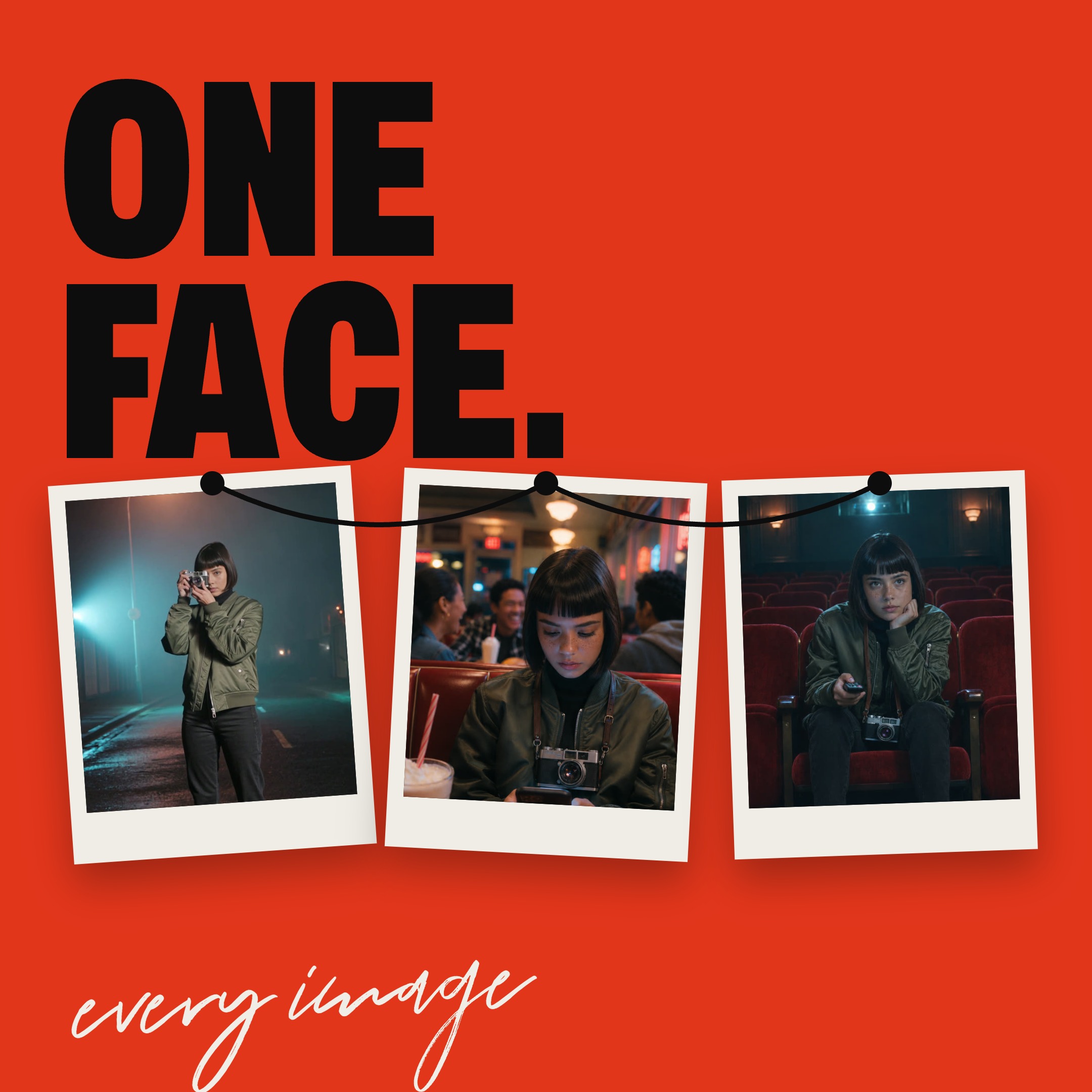

From your voice to a reel that feels like a film
Turn your narration and its background music into a reel that looks like a film: one character, one look, real footage, and every cut on a word or a beat. Our real prompts are here.
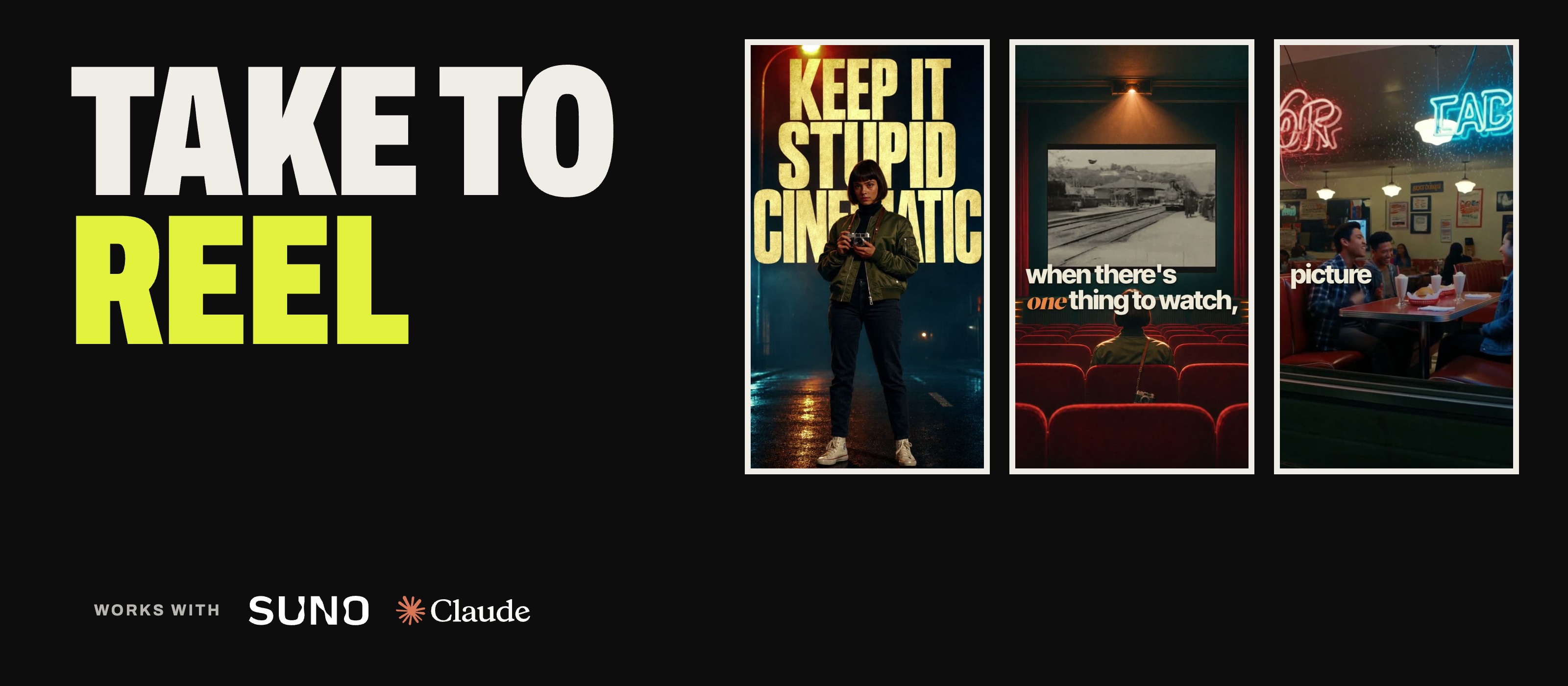
Most AI reels look like a slideshow of nice pictures. A film feels different because everything in it was decided: one character, one world, one look, and cuts that land on the words and the drums.
This is exactly how we made Keep It Stupid Cinematic, a 54-second reel on GQ's Suno narration. It took seven versions. Every guide and skill here gets you most of the way, and the rest is tweaking, prompting and dialling it in until it's truly yours. That part is the human touch, and it's the fun part.
The quickest way
Pick your AI. We copy the helper prompt (the message that sets it up) and open it for you.
ChatGPT starts on its own, no account needed. In the others, if the message box is empty, press and hold it, choose Paste, and press send.
It plans your shots on your voice track's clock, writes every picture and clip prompt with your character in it, and walks you through the edit in CapCut, one step at a time.
The zip has our real prompts, setup prompts for Claude Code or Codex, a shot list template and a checklist.
Download the zip Free, 9 KB zip
or copy the helper prompt
You're my patient helper. I might be completely new to AI and to video editing, so use simple everyday words, explain anything technical in one short sentence, and give me one step at a time. After each step, wait for me to say I'm done or tell you what I see before you go on. If my screen doesn't match what you described, help me with what I actually see.

The goal: turn my voice track into a vertical video (9:16, 30 to 60 seconds) that looks like a film: one character, one look, real footage where it fits, and cuts that land on my words.

Here's how to help me:
1. First ask me, one at a time: whether I want to test Neur Culture's own prompts first (in my download as "2 - our prompts.txt"), what the video is about, to paste in the words of my voice track, whether I have a character (or want one), and what I already have that I could use (my own photos, phone clips, footage, music).
2. If I want a character, help me write one line that describes them exactly (age, hair, clothes, the feeling they give off). Tell me I'll paste that line, word for word, into every picture or clip I make.
3. Plan the shots with me as a simple list, one row per line of my script: the words, what we see, and where the shot comes from (my own clip or photo, a picture I make, a short clip I make, or free old public domain film). Whenever my words name a real person, place or thing, suggest showing the real thing. Keep it to about 8 to 15 shots.
4. If my voice track has music, help me mark the drum hits too (CapCut's beat markers are free), so cuts can land on words or beats. Then give me one look for the whole video: a few words about light, colour and film feel that go into every picture and clip prompt, so it all looks like one film.
5. For each picture I need to make, write the full prompt with my character line and the look in it. If a picture has a screen in it, ask for the screen as a flat, pure white rectangle seen straight on, so I can drop footage into it later. Tell me which free tool to use (ChatGPT or Gemini make pictures for free, a few a day) and to make each picture vertical.
6. For each short moving clip, write a video prompt (format, length 5 to 8 seconds, place, my character line, the action, the camera move, the light, the mood, "no text, no logos"). Tell me which free tools to try (Google Flow, Adobe Firefly and LMArena all have free daily tries) and to start from my picture where the tool allows it, so the character stays the same.
7. If my words mention something real and old, help me find free public domain footage (Internet Archive, Wikimedia Commons) and how to download a short piece.
8. Show me how to give everything one look, broken once on purpose for the moment that matters, and how to put big words behind a person (CapCut's Remove background on a copy of the clip, with the text on the layer between). Then walk me through putting it together in CapCut (free on phone and computer): add my voice track first, then lay each shot on top, and cut each one where a word starts. Show me how to add one filter or adjustment to everything so it shares one look, and how to add a big title at the start.
9. Add real sound effects only where we can see what makes the sound, mixed well under the voice. Then ask me to watch it once with sound and once without, on my phone. Ask what feels off and help me fix one thing at a time.

If I use Claude Code or Codex, offer the setup prompts in "3 - setup prompts for Claude Code or Codex.txt" for word timings, a beat map and the edit in HyperFrames.

Remind me once, kindly: only use footage, music and pictures I made or am allowed to use, and some free tools limit how many pictures or clips I can make a day.

If I want the sharpest, most consistent results and don't mind paying, mention Higgsfield once as an option (paid, from $19 a month, or $3 to try once; check higgsfield.ai/pricing), and keep helping me with free tools if I'd rather not pay.

Start with step 1.
Step by step
1 Watch the finished one first
This is the reel the guide walks through, made with every step below. Watch it once with the sound on and notice how often a cut lands on a word or a drum hit.
2 Let the audio be the clock
Start from your Suno take, not from pictures. Get the exact time of every spoken word, so each shot can hang on a word. If you change the take later, the shots slide with the words.
- Free and simple: CapCut's auto captions give you every word's timing.
- On a Mac, free and offline: Parakeet, the speech model we used. Paste this into Claude Code or Codex and it sets it up and runs it for you.
Word timings, one prompt
Install FFmpeg and parakeet-mlx for me if they're missing (Homebrew for FFmpeg, pip for parakeet-mlx), then get the timing of every spoken word in take.mp3 as a VTT file with word highlights, and save it next to the take. Tell me in plain words what you did.3 Map the beat before you cut
List every real drum hit in the score before placing a single cut. We split the drums from the voice so words didn't count as beats, and found 144 hits in 54 seconds. Planning the cuts on that map took us from 45% of cuts on a beat to 74%.
- Free and simple: CapCut's beat markers, or tap markers by hand in DaVinci Resolve while it plays.
- With a coding helper: the free librosa library finds the drum hits. Paste this into Claude Code or Codex.
Beat map, one prompt
Install librosa for me if it's missing. Separate the drums from the voice in take.mp3 so words don't count as beats, then list the time of every real drum hit and save it as beats.txt. Tell me how many hits you found.4 Lock your character first
Write one line that describes your character exactly and paste it word for word into every prompt, still or video. Then make a character sheet on a light grey background and attach it wherever a tool takes a picture. Our face guide shows the whole routine, and its download has her reference pictures so you can use her to test.
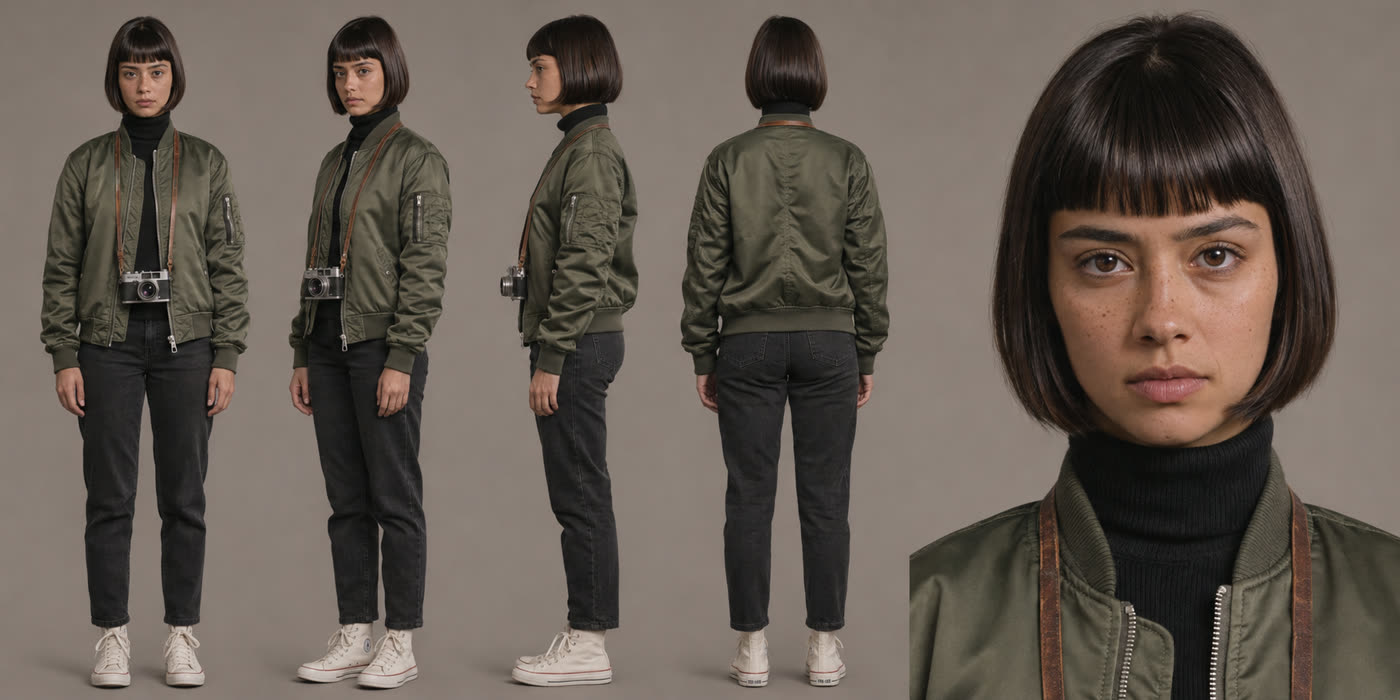
Her character line, the same words in every prompt
a woman in her mid-twenties with a short black bob and blunt bangs, warm brown skin with light freckles, wearing an olive-green satin bomber jacket over a black turtleneck, dark straight jeans and white canvas high-top sneakers, a small silver vintage 16mm film camera on a worn leather strap5 Make the stills
We made 12 stills in Codex with GPT Image 2, about 2 to 4 minutes each: the cover with the title behind her, her edit desk, the cinema, the diner and a neon marquee. Free: ChatGPT (OpenAI's GPT Image) or Gemini's Create image (Nano Banana 2), a few a day. Put the same light and film words in every prompt so they look like one film.
Here's our cover prompt, complete. Attach her reference pictures if you have them, paste it, and you'll get a cover like ours.
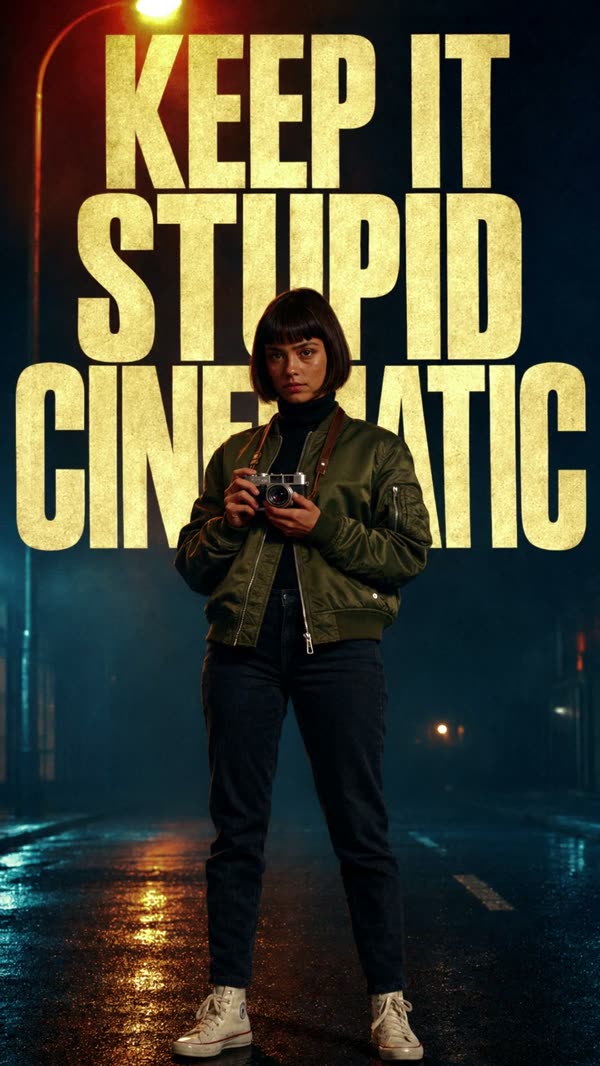
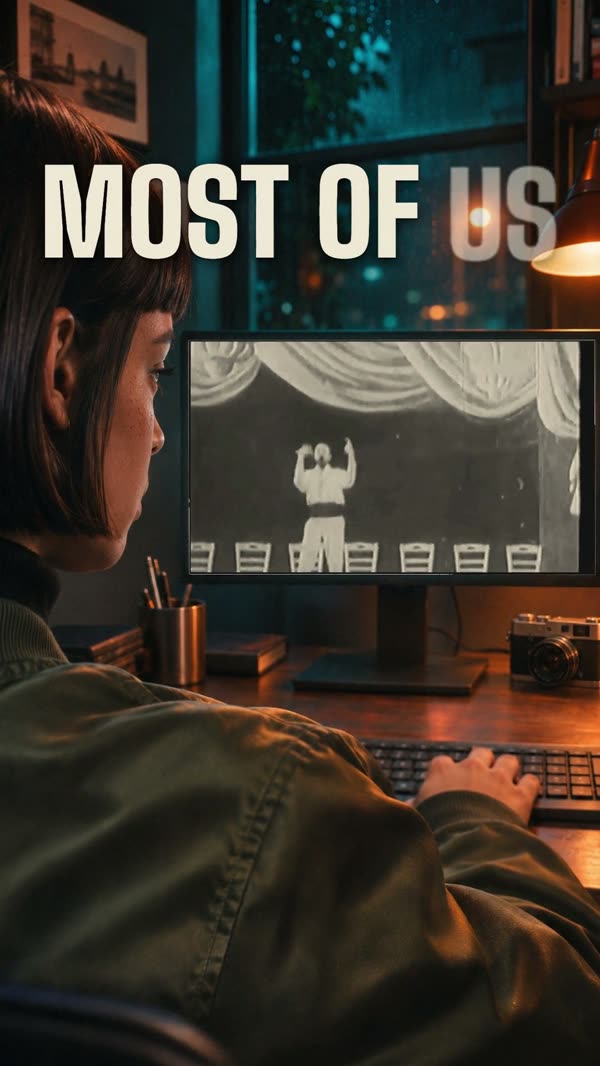
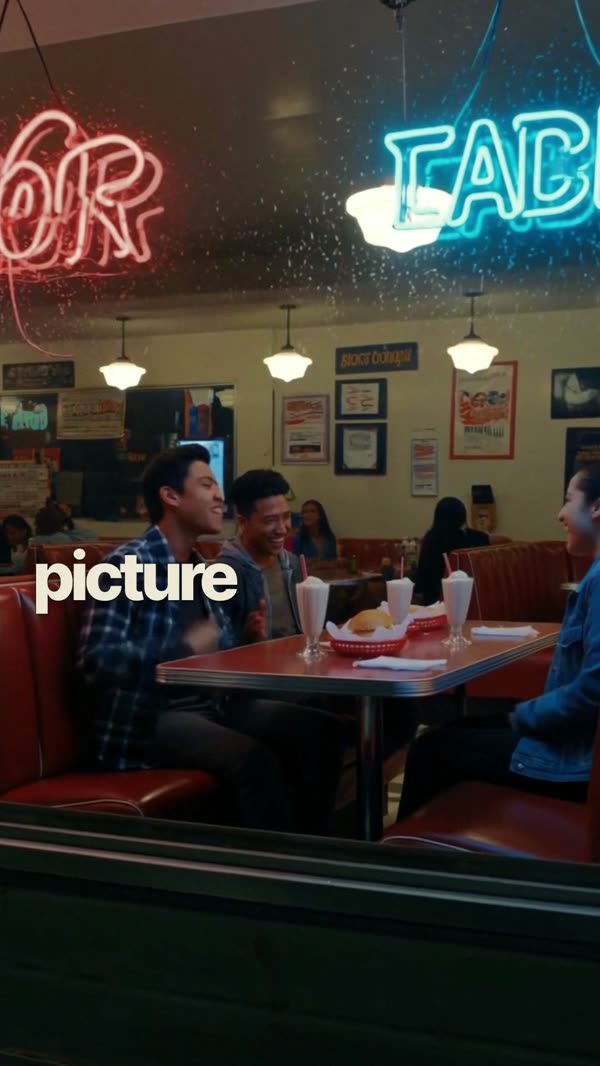
Our cover still, one prompt
Make one vertical photograph, close to 9:16. The lead: a woman in her mid-twenties with a short black bob and blunt bangs, warm brown skin with light freckles, wearing an olive-green satin bomber jacket over a black turtleneck, dark straight jeans and white canvas high-top sneakers, a small silver vintage 16mm film camera on a worn leather strap. Keep her exactly as in the attached pictures, if you have them.
Editorial film poster. Night, empty wet city street under one orange sodium streetlight, light fog. The lead stands centred, seen from a low angle, holding the small silver film camera at her chest, looking straight at the viewer, calm and sure. Behind her, enormous condensed sans-serif capital letters read KEEP IT STUPID CINEMATIC, stacked in two or three lines across the full width in warm cream, set BEHIND her head and shoulders so she stands in front of the type and partly covers it, the letters catching the orange light and fog. Along the very bottom edge, one thin line of tiny film-credit microtype, too small to read. The only large words are KEEP IT STUPID CINEMATIC, spelled exactly.
The look: 35mm film grain, soft halation on light sources, teal-navy shadows, warm orange sodium practical light, natural warm skin. No logos, no watermark.
The screen part of our Codex request
The screen in the image must be a perfectly flat, evenly lit, pure white rectangle (#FFFFFF) with sharp straight edges, seen straight on (not at an angle, no perspective tilt), with nothing on it at all. We will place footage into that rectangle later.A trick worth stealing: when a still has a screen in it, ask for the screen as a flat, pure white rectangle, seen straight on. Then your editor can drop any footage into it, so old films play on her monitor and the cinema screen inside her world.
6 Make the moving shots
GQ made four short clips in Adobe Firefly from our written prompts: the lens snap, the subway, the rooftop and the diner. Aim for 5 to 8 seconds each. Nothing needs to look finished, because the edit cuts, ramps and grades it. Where a tool takes a picture, start from your still (image to video), so the clip keeps your character and your look.
- Adobe Firefly: free daily generations, more on a paid plan.
- Arena (arena.ai/video): free with an account, 2 generations a day. You get two clips from two models and keep the better one. You can attach one picture.
- Google Flow (labs.google/fx/tools/flow): 50 free credits a day.
- Meta AI: tap a picture, then Animate. Free, with a daily limit.
- Kling and Vidu have free tiers with a watermark.
- No paid plan? It just takes a little longer. Make your most important shots first.
- Paid, for the most control: Higgsfield.
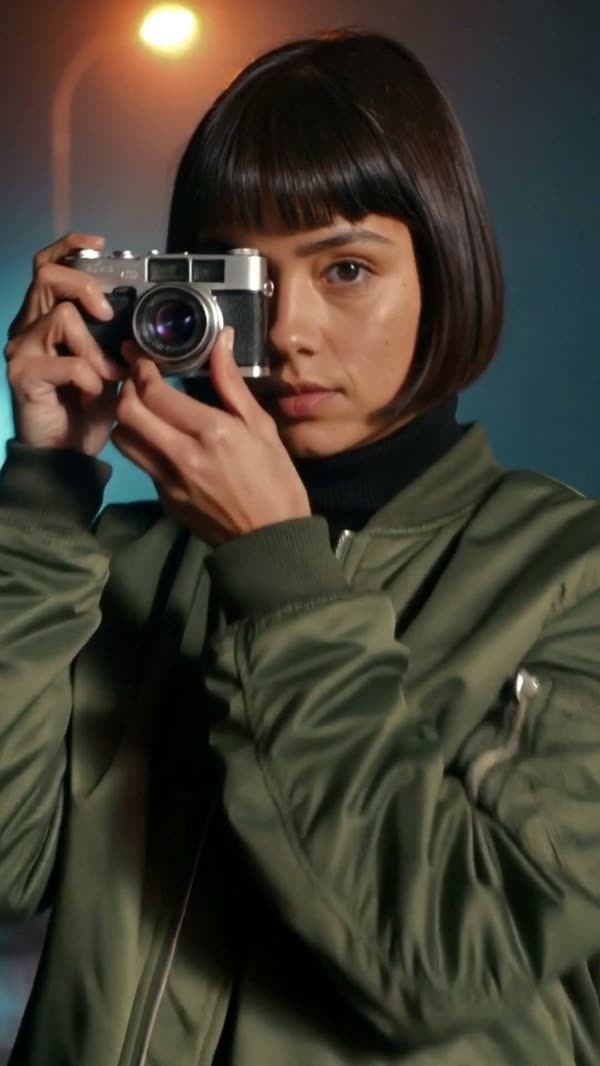
Make clips in Higgsfield Optional. Where we make ours now. Paid, from $19 a month, or $3 to try once. Checked 6 November 2026. affiliate link
Our opening shot's prompt
Vertical 9:16 cinematic shot, 6 seconds. Night, an empty wet city street under a single orange sodium streetlight, light fog. A woman in her mid-twenties with a short black bob and blunt bangs, warm brown skin with light freckles, wearing an olive-green satin bomber jacket over a black turtleneck, dark straight jeans and white canvas high-top sneakers, a small silver vintage 16mm film camera on a worn leather strap, snaps the camera up to her eye and aims it straight at the viewer. The camera crash-zooms in fast from a medium shot to an extreme close-up of the lens with her one open eye beside it, ending on a hard stop. Low angle, 24mm anamorphic lens, shallow depth of field, oval bokeh. Teal-navy shadows, warm orange sodium light on her face, natural skin. 35mm film grain, soft halation around the streetlight. Mood: confident, playful, a dare. No text, no logos, no watermark.The shape for every clip, fill in the brackets
Vertical 9:16 cinematic shot, [5 to 8] seconds. [The place and time]. [Character line, word for word], [the action]. [The camera move]. [Lens: e.g. 24mm anamorphic, shallow depth of field]. [The light]. [Look line]. Mood: [one or two words]. No text, no logos, no watermark.7 Add real footage you're allowed to use
Old films are the most surprising part of our reel, and they're free and legal for anyone. Méliès, the Lumière train, Chaplin and Edison's Uncle Josh all came from public domain archives.
- Internet Archive, Wikimedia Commons and the Library of Congress: filter to public domain.
- Write down where every clip came from and its licence as you go.
- Free stock (Mixkit, Coverr) is a last resort. It was the weakest-looking footage in ours.
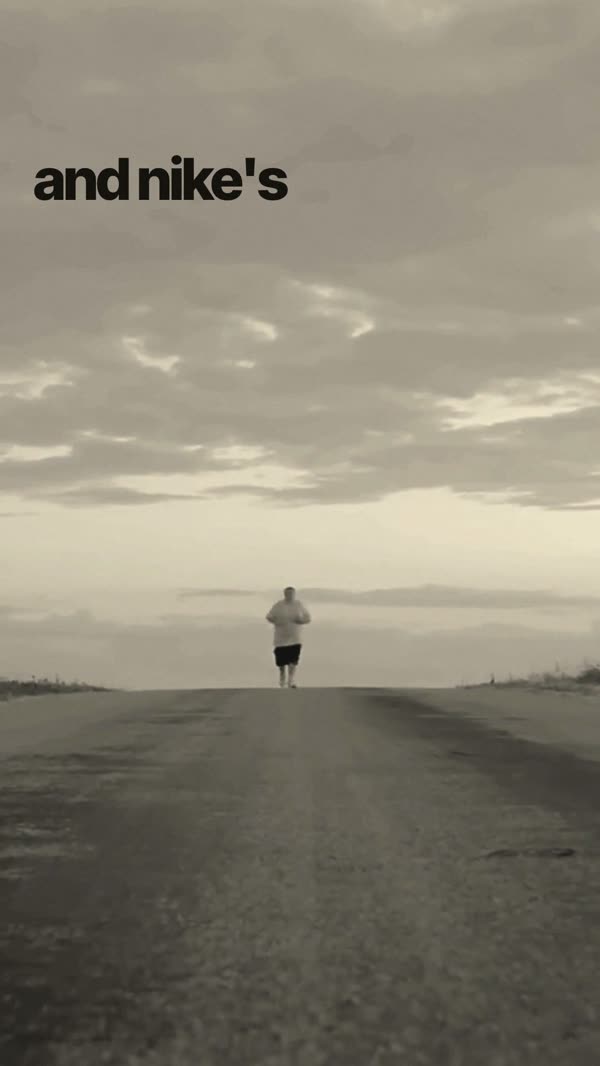
- We also used 8 seconds of a Nike ad and some London 2012 footage as commentary, to make a point about them. That isn't ours, it's credited, and it can still be taken down. Only do it knowing that.
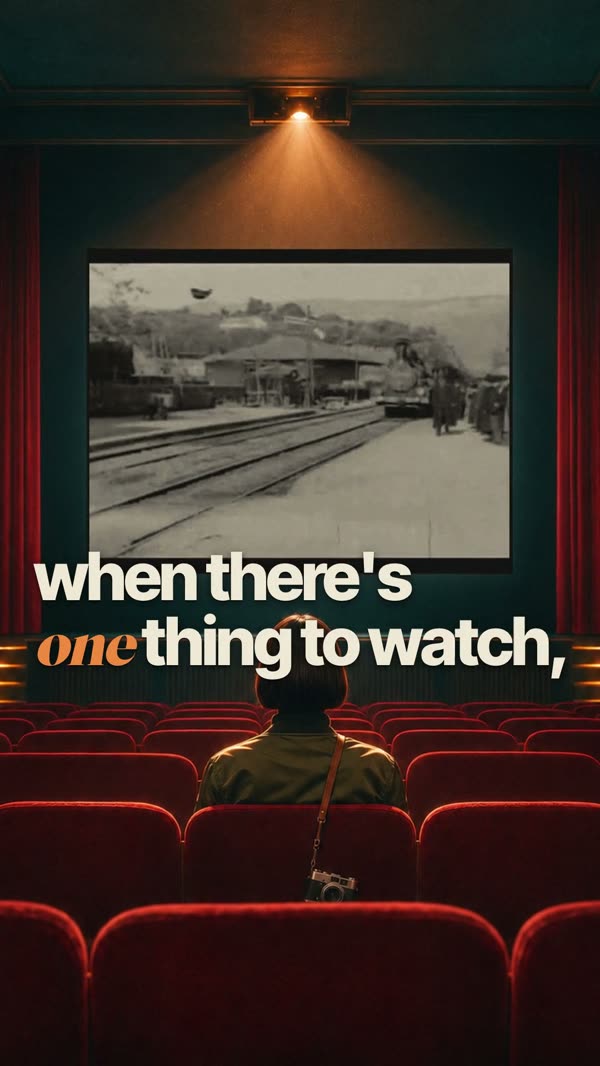
Save a public domain clip, one prompt
Install yt-dlp for me if it's missing (Homebrew on a Mac, winget on Windows). Then save the clip at [the page address] into this folder. Only do this for footage that's public domain or that the page allows me to save, and write its source and licence into SOURCES.txt.To save a clip from a page that allows it, yt-dlp is the free tool we used. Paste this into Claude Code or Codex and it sets it up and saves the clip, with its source written down.
8 Give everything one look
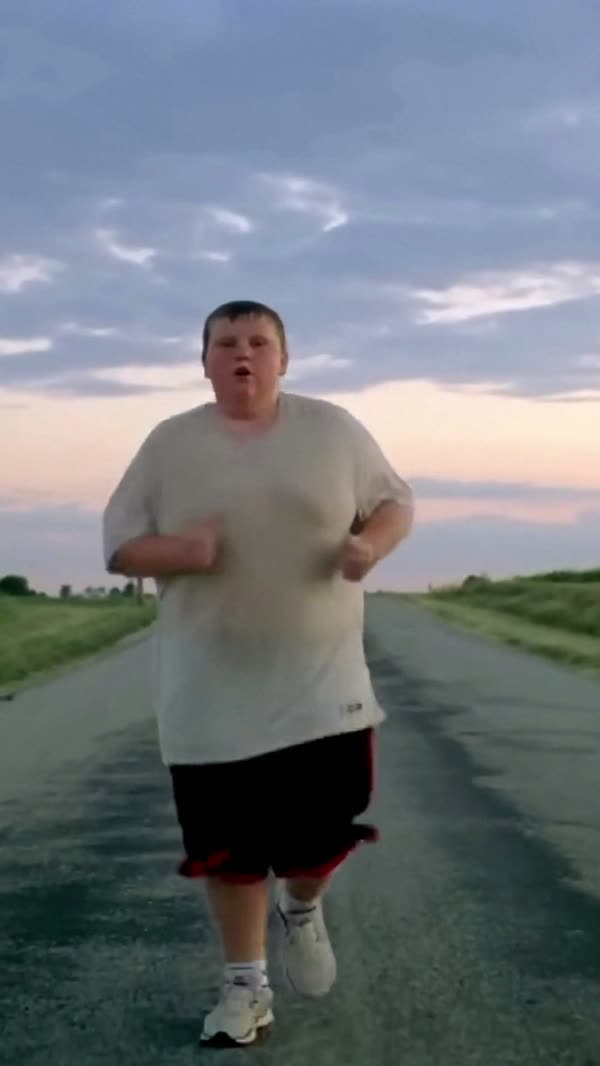
Five looks side by side made version 5 feel like a collage. The fix was one print grade over all outside footage: warm black and white that keeps only the orange sparks and neon. Her world stays teal and orange night. Break the look once, on purpose, for the moment that matters: our kid turns to full colour on "Nike gave one kid the whole frame".
- Free: DaVinci Resolve, black and white with a colour keep on orange, or a film-print LUT.
- Balance every clip first, match them to one shot, then put the one look over everything.
9 Put the words behind the subject
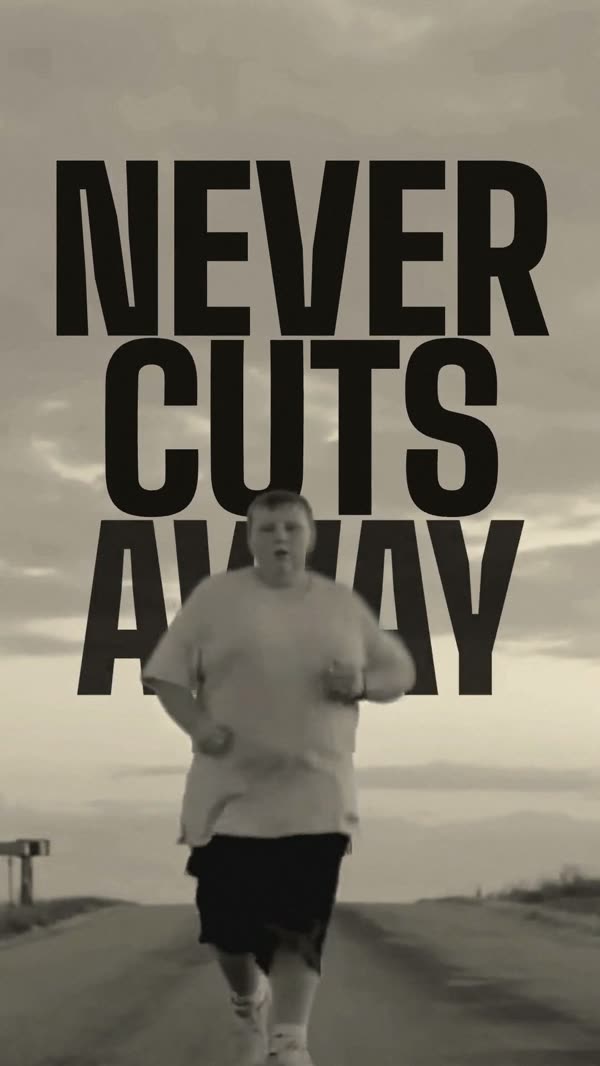
Big words behind a person, with them moving in front, is what makes type feel like part of the film. We cut the kid out of his footage with a free matte model called Robust Video Matting, so NEVER CUTS AWAY sits behind him and he runs through it.
- Free and simple: CapCut's Remove background on a copy of the clip, with your text on the layer between.
- DaVinci Resolve Studio: Magic Mask.
- In code: Robust Video Matting, open source on GitHub (github.com/PeterL1n/RobustVideoMatting, GPL-3.0).
10 Cut it
Free and by hand: CapCut or DaVinci Resolve. Add your voice track first, lay each shot on top, and cut each one where a word or a beat starts.
We built ours in HyperFrames, which is free and open source: every shot, word and grade is code, and it turns into a video in about 5 minutes. You ask Claude Code or Codex for the edit in plain words, and it writes the code. This one prompt sets it up and builds the edit.
Set up HyperFrames and build the edit, one prompt
Install Node.js 22 or newer and FFmpeg if they're missing, then add HyperFrames (in Claude Code: claude plugin marketplace add heygen-com/hyperframes, then claude plugin install hyperframes@hyperframes; in Codex: npx skills add heygen-com/hyperframes). Start a project called my-reel and open the preview. Then build the reel on my take's clock: here's my take, my word timings, my beat map, my shot list and my clips. Cut every shot on a word or a beat. When I say it's right, render it.On claude.ai you can also add HyperFrames as a connector: Customize, Connectors, Add custom connector, paste https://mcp.heygen.com/mcp/hyperframes/ and sign in with a HeyGen account.
11 Add real sound, and keep it low
Our first sound effects were synthetic, loud and generic. The fix was nine real recordings, each with a cause on screen (the projector, the train, the diner, a camera click), mixed well under the voice.
- Wikimedia Commons and Freesound: filter to CC0 or public domain.
- If you can't see what makes the sound, leave it out.
12 Check it before you post
- Every cut lands on a word or a beat.
- No shot holds so long it feels stuck. We fixed a 4.4 second hold with a second angle.
- No black frame at the start of a clip, no flashes, no frozen frames.
- No words on screen that repeat a sign already in the shot.
- Then watch it on your phone with the sound on, start to finish.
Got your own footage?
Use it. Real moments from your phone often beat made ones. Put your clips in the shot list first, and only make what's missing.
Get our reel studio, free
Neur Motion is the studio we cut our reels in, as a free skill for Claude Code and Codex. It does the motion: it times your take word by word and beat by beat, finds real footage for every real thing your words name, cuts the film, sets the type, grades it and checks it before you see it. It comes with 50 font families, 35 film looks, a starter pack of public domain footage, seven worked film engines and a breakdown of 14 styles that are working right now. It doesn't come with a style. That part is yours, and the download includes a guide to building your own.
The pictures and the sound come from whatever tools you have. We used Suno for the take and AI images for our lead; free routes work too, and the download says which.
- You need Node.js 22 or newer, FFmpeg, Python 3, HyperFrames, Parakeet and yt-dlp. Its setup script checks each one and tells you what's missing.
- Unzip it, open README.md, then paste INSTALL-PROMPT.md into Claude Code or Codex. It installs the skill and renders a 3-second test clip.
- Then just ask: "Here's my Suno take and my script. Make it a film, 9:16."
- It won't nail it in one take, and that's the point. Dial it in, change one thing at a time, and add your own looks and type as you go until it's truly yours.
Download Neur Motion Free, 31 MB zip
A real one: what went wrong first
Seven versions over three days. Each one fixed one thing, and that's the process: change one thing, watch it again.
- Version 1 was stills and stock. GQ: "There's no actual footage." Fix: real clips from every source.
- Versions 2 and 3 felt homey and stocky. Fix: our own character in one designed night world.
- The first take ran 66 seconds. Fix: cut the script and retake it at 58.
- Version 5 mixed four looks. Fix: one print grade, and old films on screens inside her world.
- Version 6's sound effects were loud and generic. Fix: real recordings, mixed low.
- Her edit desk made her tiny next to a giant monitor. Fix: a new still, with the scale written into the prompt.
Can I turn my own song into an AI music video where the singer looks the same in every single shot?
Yes. Lock the character first with reference pictures, then make the stills and moving shots from them, and let the audio set every cut. Our guide shows the whole process with our real prompts, from a voice track to a reel that looks like a film. We spent nothing new making ours.
Can AI really turn photos into videos?
Yes. Video tools such as Google Flow, Adobe Firefly and Higgsfield turn a still picture into a moving shot, several with free daily tries. The trick is making the stills consistent first. Our reel guide shows how we made the stills, animated them and cut them to the voice, with our prompts.
Good to know
- Start from the audio. The take is the clock.
- One character line, word for word, in every prompt.
- One look over everything, broken once on purpose.
- It's rarely one take. Change one thing at a time until it's yours.
- Free tools limit how many pictures and clips you can make a day. Make your most important shots first.
What you'll have
A reel that feels like a film, cut to your own voice, plus a way of working you can repeat on the next one.
Part of Make an AI reel: step 3 of 4